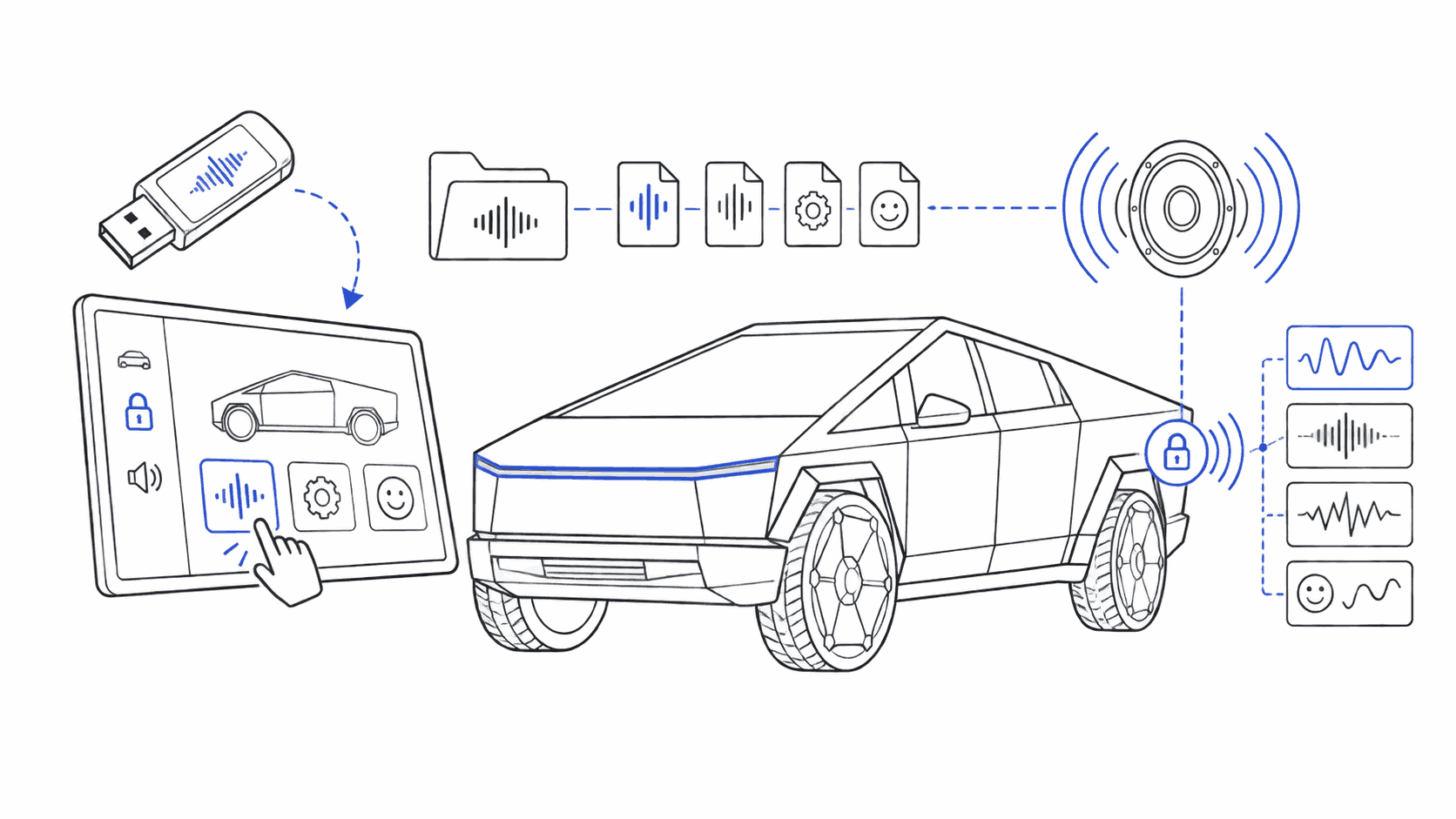
The Cybertruck looks like nothing else on the road, and the stock lock chime undersells it. Pick a sound that suits an angular stainless-steel truck instead.
Custom lock sounds on the Cybertruck hit different. With a louder pedestrian-warning speaker and a design that already turns heads, the right sound becomes part of the whole truck experience. This page is about which sounds fit the truck best.
Need the exact USB install path first? Use the dedicated Cybertruck lock sound USB install guide. That guide covers the front USB port, Boombox/LockChime.wav, and the difference between Tesla's stock Lock Confirmation Sound and a custom clip. Come back here once the file path is handled and you want the best sound for the truck.
Why Cybertruck Lock Sounds Hit Harder
The Cybertruck has Tesla's best external audio system. Here's what makes it special:
- Multiple speakers positioned around the angular body
- Extended frequency response that handles bass better than other models
- Higher volume capacity without distortion
- Full Boombox support from day one, no software updates needed
This means your lock sounds will sound fuller, louder, and more impactful than on any other Tesla. A sound that whispers on a Model 3 will announce itself proudly on a Cybertruck.
Find sounds for your Tesla
Every sound works with Model 3, Y, S, X, and Cybertruck.
Need USB Setup? Start With the Dedicated Install Guide
If you landed here because you need the install path, skip the scattered advice and open the Cybertruck lock sound USB install guide. That page is the canonical install spoke for:
- front USB port guidance
Boombox/LockChime.wavsetup- Lock Confirmation Sound vs custom USB sound
- first-lock troubleshooting if the truck ignores the file
What Makes a Great Cybertruck Lock Sound?
The Cybertruck's angular design and powerful speakers favor certain types of sounds:
Industrial & Mechanical
The Cybertruck's stainless steel body and sharp lines pair perfectly with:
- Heavy machinery sounds
- Hydraulic hisses
- Metal-on-metal clanks
- Factory or construction audio
Sci-Fi & Futuristic
Lean into the Blade Runner aesthetic with:
- Synthwave bass pulses
- Cyberpunk audio effects
- Futuristic door sounds
- Retro-futuristic synthesizers
Bold & Attention-Grabbing
Your Cybertruck already draws attention, own it with:
- Horn alternatives
- Distinctive alerts
- Short musical stings
- Meme sounds (if that's your style)
Avoid These
- Soft, subtle chimes (get lost against the truck's presence)
- Long samples (keep it under 5 seconds)
- Overly compressed audio (Cybertruck speakers reveal quality issues)
Best Cybertruck Lock Sound Picks
Based on what Cybertruck owners are actually downloading and using:
For the Sci-Fi Enthusiast
- Blade Runner Spinner: Atmospheric and moody
- Transformers Transform: Complex mechanical sequence
- Lightsaber Ignition: Iconic Star Wars sound
For the Bold Statement
- Industrial Clank: Heavy metal on metal
- Hydraulic Hiss: Mechanical and powerful
- Factory Alarm: Attention-grabbing industrial
For the Meme Lover
- Vine Boom: The classic bass drop
- Bruh: Simple, recognizable
- Emotional Damage: Steven He's iconic phrase
For the Professional
- Clean Synth Pulse: Modern and sophisticated
- Electronic Chime: Tech-forward but subtle
- Futuristic Door: Sci-fi without being flashy
Browse our full Cybertruck sound collection with previews.
Cybertruck-Specific Tips
Volume Considerations
The Cybertruck's speakers are powerful. What sounds fine on other Teslas might be too loud on yours. Test in a controlled environment first, especially if you park in shared spaces.
Matching the Aesthetic
Your lock sound should feel like it belongs on a Cybertruck. Angular, metallic, industrial, or futuristic sounds work best. A gentle chime might sound out of place on a vehicle this bold.
Multiple Sounds
The Cybertruck supports Boombox mode, which means you can store multiple sounds on your USB and switch between them. Keep a collection:
- Daily driver: Something professional but interesting
- Weekend: Fun sounds for car meets
- Events: Attention-grabbing audio for when you want to make an entrance
Troubleshooting Common Issues
Sound Not Playing
- Check the file name: must be
LockChime.wav(notlockchime.wavorLockChime.WAV) - Verify USB format: FAT32 or exFAT only
- Ensure Sentry Mode is enabled in settings
- Try a different USB port
Sound Too Quiet
Even with the Cybertruck's powerful speakers, some sounds need volume adjustment:
- Use our audio converter to normalize volume
- Aim for -3dB to -6dB peak volume
- Avoid heavily compressed source files
Sound Distorted
- Lower the peak volume to -6dB
- Check that your file is 16-bit (not 24-bit)
- Re-export at 44.1kHz exactly
USB Not Recognized
- Try formatting to FAT32 instead of exFAT
- Use a smaller USB drive (under 32GB)
- Avoid USB hubs, plug directly into the Cybertruck port
Where to Get Cybertruck Lock Sounds
Option 1: Download Pre-Optimized
Browse our Cybertruck collection. Every sound is:
- Volume-tuned for the Cybertruck's speakers
- Properly formatted (WAV, 44.1kHz, 16-bit)
- Ready to install, no editing needed
- Tested on actual Cybertrucks
Have a specific sound in mind? Use our audio converter to:
- Upload any audio file (MP3, WAV, OGG, etc.)
- Adjust volume and trim to length
- Auto-format for Tesla compatibility
- Export as
LockChime.wav
Can't find what you want? Request a sound and we'll add it to the library.
FAQ
Does the Cybertruck support custom lock sounds?
Yes. Every Cybertruck delivered since 2023 supports custom lock sounds through the standard Boombox method. You don't need a specific software version: all Cybertrucks shipped with 2023.38 or later, which is the minimum required. The process is identical to other Tesla models: FAT32 USB drive, Boombox/LockChime.wav folder structure, select it in Toybox → Boombox → Lock Sound.
Why do lock sounds sound better on Cybertruck than other Teslas?
The Cybertruck has Tesla's most capable external speaker system, with higher output, better bass reproduction, and multiple speakers positioned around the larger body. The same audio file sounds noticeably louder and fuller compared to a Model 3 or Y. This is why bass-heavy sounds (Vine Boom, Transformers Transforming, hydraulic effects) are especially popular on the Cybertruck.
What sounds work best with the Cybertruck aesthetic?
Industrial and mechanical sounds complement the stainless steel design best: Transformers Transforming, hydraulic hisses, metal impact sounds. Sci-fi sounds (Imperial March, Blade Runner Spinner, Starship Door) lean into the futuristic angle. The Cybertruck's speaker system also handles bold, attention-grabbing sounds: Vine Boom lands particularly hard. Browse the Cybertruck collection for curated picks.
Can I use Cybertruck Boombox for custom music, not just lock sounds?
Yes. Any WAV files stored in the /Boombox/ folder beyond LockChime.wav can be played on demand through the touchscreen's Boombox interface. The Cybertruck's external speakers make this genuinely useful for tailgates, car meets, and outdoor events. You can store multiple files and switch between them from the interface.
Why isn't my LockChime.wav playing after installation?
Check the exact path first: Boombox/LockChime.wav. Then confirm the drive is FAT32 or exFAT, plugged into a front USB port, and selected as the USB sound in Boombox instead of Tesla's stock confirmation sound. If you want the full truck-specific flow, use the Cybertruck USB install guide.
The Bottom Line
Your Cybertruck deserves a lock sound that's as distinctive as the truck itself. With the right sound, every lock and unlock turns a notification into a small moment.
Start with our Cybertruck sound collection, use the Cybertruck USB install guide if you need the setup path, or jump straight to the audio converter if you have a custom sound in mind.
The future is angular, stainless steel, and loud. Make sure your lock sound matches.
See Also
- Tesla Cybertruck Custom Sounds: Complete Guide: speaker specs, best sounds by category, and Boombox tips
- Best Tesla Lock Sounds 2026: top picks across all models
- Tesla Lock Sound Too Loud? How to Lower Volume: Cybertruck dual speakers can be overwhelming; here's how to reduce volume